+91 8178473475
info@iameya.in
Follow Us On :

Menu
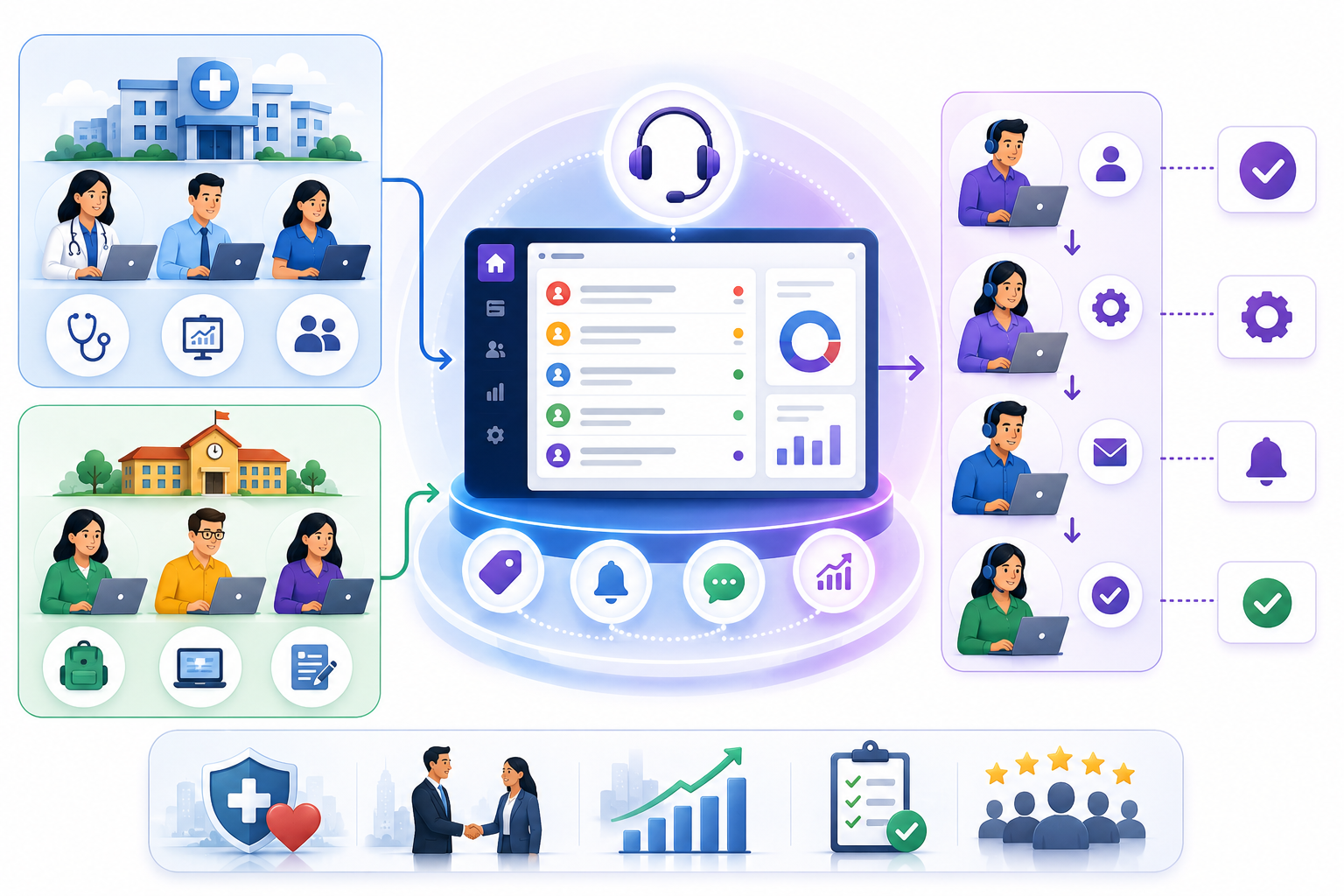
How Healthcare Consulting Companies Reduced Escalation Delays Through Smart Ticket Management
-
admin
- May 18, 2026
About the Client
A Dubai-based global healthcare consulting firm specialises in designing and delivering structured healthcare campaigns across schools in the UAE and across the region. The organisation works directly with school management, government health authorities, and private educational institutions to plan, execute, and report on healthcare intervention programmes — covering preventive health screenings, wellness workshops, vaccination awareness drives, and dental and vision checks conducted on school premises.
With multiple campaigns running simultaneously across different schools and districts, the firm’s coordination challenge grew in proportion to its reach. Campaign issues, school requests, field team complaints, and escalations were managed through WhatsApp groups, emails, calls, and personal spreadsheets — with no centralised tracking, no ownership assignment, and no SLA visibility. Prior to implementing a structured system, issue resolution depended entirely on individual effort and informal communication.
This resulted in a significant operational blind spot, where leadership and coordinators could not easily track:
- Which school raised which issue and who was handling it
- Whether response and resolution timelines were being met
- Internal field team complaints and operational escalations
- Activity logs and audit trails against campaign support requests
- Document versions and approval status for campaign SOPs
- Service quality, feedback, and ticket reopen patterns
As the organisation scaled its campaign delivery, these fragmented processes created missed escalations, damaged school relationships, and knowledge loss when team members left, demanding a centralised, structured ticket and service management solution.
Key Outcomes & Business Impact
0 Missed Campaign Issues
Every school request and field escalation receives an auto-generated Tracking ID and is assigned to an operator — ensuring no issue is overlooked, duplicated, or left unaccountable across the campaign network.
100% SLA Visibility
Priority-wise SLA rules with automatic breach detection and auto-close logic replace manual follow-ups — making response accountability measurable and enforceable across every school and department.
Complete School Context
School name, contact details, deal information, documents, and historical feedback are visible within every ticket screen — enabling support teams to resolve school issues faster without repeatedly questioning campaign stakeholders.
Structured Internal & External Tracking
A single platform handles both external school-facing support and internal field team complaints through the External and Internal ticket type workflow — eliminating the gap between customer support and operational coordination.
Full Activity Traceability
Every call, follow-up, coordination step, and field-level update is logged against the ticket Tracking ID — giving management a complete, auditable trail of all support actions taken by every operator across all campaigns.
Reusable Knowledge & Document Control
Bookmarked resolutions and a hierarchy-approved Knowledge Base eliminate repeated troubleshooting, preserve institutional campaign knowledge, and ensure only validated, current documents are accessible to field teams.
Pain Points & Solutions
Before implementing Biz Desk, the healthcare consulting firm encountered nine core operational gaps that were directly impacting campaign delivery, school relationships, team accountability, and service quality across its school network.
PAIN POINT 01
Challenge :-
The firm was managing all school requests, field team issues, campaign escalations, and operational complaints through WhatsApp groups, emails, and personal spreadsheets. This created missed issues and follow-ups, unclear ownership, no visibility into pending tasks across schools and departments, and no way to track which school raised which issue, which coordinator was handling it, the current resolution status, or how long an issue had been open.
Solution :-
With Biz Desk we implemented a centralized ticket management system where every school issue, campaign request, or field escalation received a unique auto-generated Tracking ID. Operators could view all tickets from the All Tickets tab, filter tickets assigned specifically to them, and access complete school and campaign details, including contact information, deal details, attached documents, priority levels, SLA timelines, feedback, and ratings — all from a single platform. This gave leadership and coordinators complete operational visibility across every school and healthcare campaign.
PAIN POINT 02
Challenge :-
School requests, approvals, operational complaints, and campaign support issues were handled with no defined response timelines. Delayed responses impacted school relationships, campaign schedules, and service quality. There was no mechanism to monitor response delays, resolution delays, or escalations — and no automatic action when issues remained unattended beyond acceptable timeframes.
Solution :-
Using Biz Desk we introduced configurable SLA Management where Response Time Targets, Resolution Time Targets, and Auto-Close Time Targets were defined priority-wise and department-wise. The system automatically converted ticket status from SLA Not Breached to SLA Breached if no action was taken within the configured time window. If a resolved ticket was not reopened by the school within the auto-close period, it was automatically marked as Closed, enforcing operational discipline and ensuring timely handling of every school campaign request without manual intervention.
PAIN POINT 03
Challenge :-
Support and operations teams lacked access to complete school and campaign information while handling requests. Coordinators often had to repeatedly ask schools for their details, contact information, campaign history, and previous communications — slowing issue resolution, creating a poor coordination experience, and making it impossible to provide context-aware support across the organisation’s growing school network.
Solution :-
With Biz Desk we integrated ticket management with complete school and campaign context. Within every ticket screen, operators could view the school’s name, contact details, campaign and deal information, attached documents, and historical feedback along with ratings, all automatically fetched from the Customer Master or from Biz Accelerator CRM when integrated. This enabled faster and more informed support without requiring schools to repeat information they had already shared.
PAIN POINT 04
Challenge :-
Internal operational issues between field teams, coordinators, medical staff, and support departments were managed informally through calls and chats, creating no accountability, no tracking, and missed operational escalations. There was no structured workflow covering both external school-facing support and internal department-level complaints within a unified system.
Solution :-
Using Biz Desk we introduced a Ticket Type selection at the point of ticket creation: External for school and client-facing issues, and Internal for department-level operational complaints and field team escalations. Operators could raise tickets on behalf of schools using the External type or log internal department issues using the Internal type, all within the same platform. This created a single, structured workflow covering both external school support and internal operational issue management with complete accountability.
PAIN POINT 05
Challenge :-
There was no structured record of follow-up calls, coordination activities, escalations, or field-level updates against any campaign issue. Management could not track what actions had been taken, who performed them, or what the resolution progress was per school or campaign. Operator workload assessment and performance reviews were impossible without an auditable activity trail.
Solution :-
With Biz Desk we introduced a dedicated Activity Management Module where every action against a ticket was logged, including activity type, activity name, start and end time, status, priority, assigned operator, and Tracking ID linkage. Activities logged from the All-Tickets tab were also visible under the Activity screen with all necessary details. Managers could review activity history by ticket, operator, and time period, enabling accurate workload assessment and fully accountable performance management.
PAIN POINT 06
Challenge :-
Operational knowledge, campaign SOPs, medical guidelines, consent formats, and school-specific processes were scattered across personal systems, email chains, and shared drives. New employees struggled to resolve recurring issues due to a lack of access to historical resolutions and approved documents, causing repeated troubleshooting efforts and longer resolution times for issues that had already been solved before.
Solution :-
Using Biz Desk we implemented Ticket Bookmarking and Knowledge Base Management. Resolved tickets could be bookmarked and stored under the Knowledge Base tab for future reference. Over time, the organization built a searchable repository of frequently occurring campaign issues, proven resolutions, and operational references, reducing repetitive troubleshooting efforts, decreasing first-response resolution time, and improving onboarding efficiency for new coordinators and operators.
PAIN POINT 07
Challenge :-
Campaign documents — including school approvals, consent forms, medical guidelines, operational SOPs, and reporting templates — were shared informally without any approval control or document hierarchy. This created version confusion, the use of outdated documents in active campaigns, and compliance risks across the school network.
Solution :-
With Biz Desk we introduced a structured Knowledge Base and Document Approval Workflow with three stages: My Documents (upload stage), Pending Documents (awaiting reporting manager approval), and Approved Knowledge Base (visible to all authorized users). Documents uploaded by users remained in Pending status until approved through a hierarchy-based workflow. Only approved documents were published to the centralized Knowledge Base, ensuring controlled, compliant, and verified knowledge sharing across all departments and campaign teams.
PAIN POINT 08
Challenge :-
The healthcare consulting firm had no structured mechanism to monitor school satisfaction, campaign issue handling quality, or resolution effectiveness. Reopened issues and repeated complaints were difficult to track, making it impossible to identify recurring service gaps, assess coordinator performance, or improve campaign support processes based on real feedback data.
Solution :-
Using Biz Desk we integrated customer and school feedback, ticket ratings, and reopen status tracking directly within the ticket management screen. After resolution, schools could rate their experience and provide feedback that became immediately visible to management. Reopened tickets were flagged and tracked, enabling leadership to monitor service quality trends, identify recurring operational gaps, analyze reopen patterns, and continuously improve campaign coordination processes using verified feedback data.
PAIN POINT 09
Challenge :-
Leadership lacked centralised visibility into pending campaign issues, department workload, SLA breaches, team productivity, and resolution efficiency across schools and locations. Operational reporting depended heavily on manual updates from individual coordinators — meaning issues were often only identified after they had already impacted schools or campaign timelines.
Solution :-
With Biz Desk we provided real-time management dashboards displaying pending tickets by department and operator, SLA compliance rates and breach frequency, workload distribution across the team, ticket resolution efficiency, and campaign support analytics. Leadership could proactively intervene by reassigning overloaded operators, escalating breached tickets, and monitoring operational performance at any time without relying on manual status updates or end-of-day reports.
Product Features
Biz Desk is a purpose-built Ticket and Service Management platform developed by Ameya Innovex, designed for organisations that manage multi-channel support operations, track SLA commitments, coordinate field activity, and maintain a structured knowledge base for continuous service improvement. The modules deployed for this healthcare consulting firm are as follows:
| Module / Feature | Description |
|---|---|
|
All Tickets View |
Operators log in and view all tickets raised across the organisation from the All Tickets tab. Filter options allow each operator to instantly isolate tickets assigned specifically to them. Every ticket displays an auto-generated Tracking ID, school and customer details, email, phone, deal name (auto-fetched from Customer Master or Biz Accelerator CRM when integrated), attached documents, priority, SLA timeline, response time, expected resolution time, department, customer feedback, and rating — giving every stakeholder full real-time visibility and ownership of the ticket lifecycle. |
|
My Tickets & School Portal |
The My Tickets tab displays all tickets raised by the logged-in operator or school. Schools accessing their portal see only their own tickets, can check status updates in real time, and can raise new tickets directly from the same screen. Operators can also raise tickets on behalf of schools from this view. |
|
Ticket Type: External & Internal |
Operators select ticket type at creation: External for school-facing and client-facing support issues, Internal for department-level operational complaints and field team escalations. This creates a single structured workflow covering both external school support and internal issue management within the same platform. |
|
SLA Management |
Priority-wise and department-wise SLA rules define Response Time Target, Resolution Time Target, and Auto-Close Time Target. If no action is taken within the configured response window, ticket status automatically flips from SLA Not Breached to SLA Breached. If a resolved ticket is not reopened by the school within the auto-close period, it is automatically marked Closed — enforcing operational discipline without manual intervention. |
|
Activity Management |
Operators log every action against a ticket from the Activity tab: activity type, name, start time, end time, status, priority, assigned operator, and Tracking ID linkage. Activities added from the All Tickets tab are also visible under the Activity screen. Managers can review activity history by ticket, operator, and time period — creating a complete, auditable trail of all support actions taken across every school campaign. |
|
Ticket Bookmark & Knowledge Base |
Resolved tickets can be bookmarked for future reference and are accessible under the Knowledge Base tab. Over time, the organisation builds a searchable library of common campaign issues and proven resolutions. New operators can quickly refer to past solutions for recurring school problems — reducing first-response resolution time and eliminating redundant troubleshooting effort. |
|
Document Approval Workflow |
Users upload SOPs, campaign guidelines, consent forms, and operational documents to My Documents. All uploads enter Pending status and await approval from the reporting manager through a hierarchy-based workflow. Only approved documents are published to the centralised Knowledge Base and become accessible to all authorised users — ensuring controlled, compliant, and verified knowledge sharing across the organisation. |
|
Customer Feedback & Ratings |
School satisfaction data, star ratings, and reopen status are captured directly within the ticket management screen. Feedback is visible to management in real time, enabling continuous monitoring of service quality trends, identification of recurring failure points, and improvement of campaign coordination processes using real school feedback data. |
|
Real-Time Dashboards |
Management dashboards provide live visibility into pending tickets by department and operator, SLA compliance and breach frequency, team workload distribution, ticket resolution efficiency, and overall campaign support analytics — enabling proactive management without waiting for manual status updates or end-of-day reports. |
About Ameya Innovex
Ameya Innovex is a rapidly growing IT hub building powerful digital services alongside our proprietary Ameya AI Hub, a suite of intelligent AI products. Our other AI Hub products include – Biz Accelerator (Sales Management), Biz Lazikill (Task Management), Biz Enablr (ERP
Management), Biz Ignite (HRMS), Biz Cashwise (Expense Management).